
GA4 & Server-Side Tracking Case Study for a Shopify Store
Project Overview
Crave Corner is a Shopify-based eCommerce store where accurate customer journey and conversion tracking were essential for understanding how users interact with the website.
Akhirah Lab worked on the technical tracking infrastructure, implementing Google Tag Manager, Google Analytics 4, server-side tracking, Meta Pixel, and event validation to create a more reliable measurement setup.
The implementation focused on establishing a structured tracking architecture across both browser-side and server-side environments.
Our Tracking Strategy
Google Tag Manager Configuration
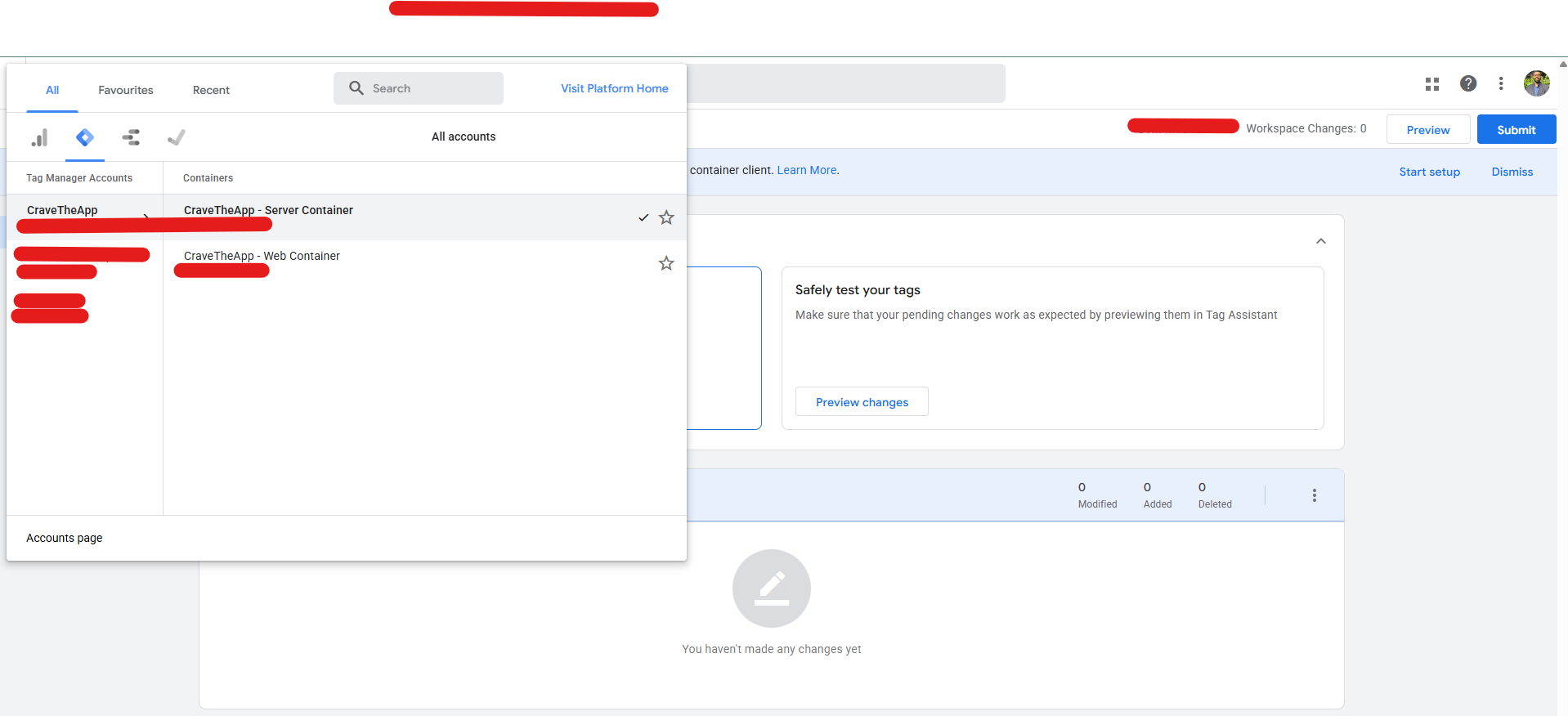
We started by setting up the Google Tag Manager infrastructure. Both Web Container and Server Container environments were configured to establish a scalable tracking architecture. The setup provided the foundation for managing analytics and advertising tags while keeping the tracking structure organized.
GA4 & Server-Side Tracking Setup
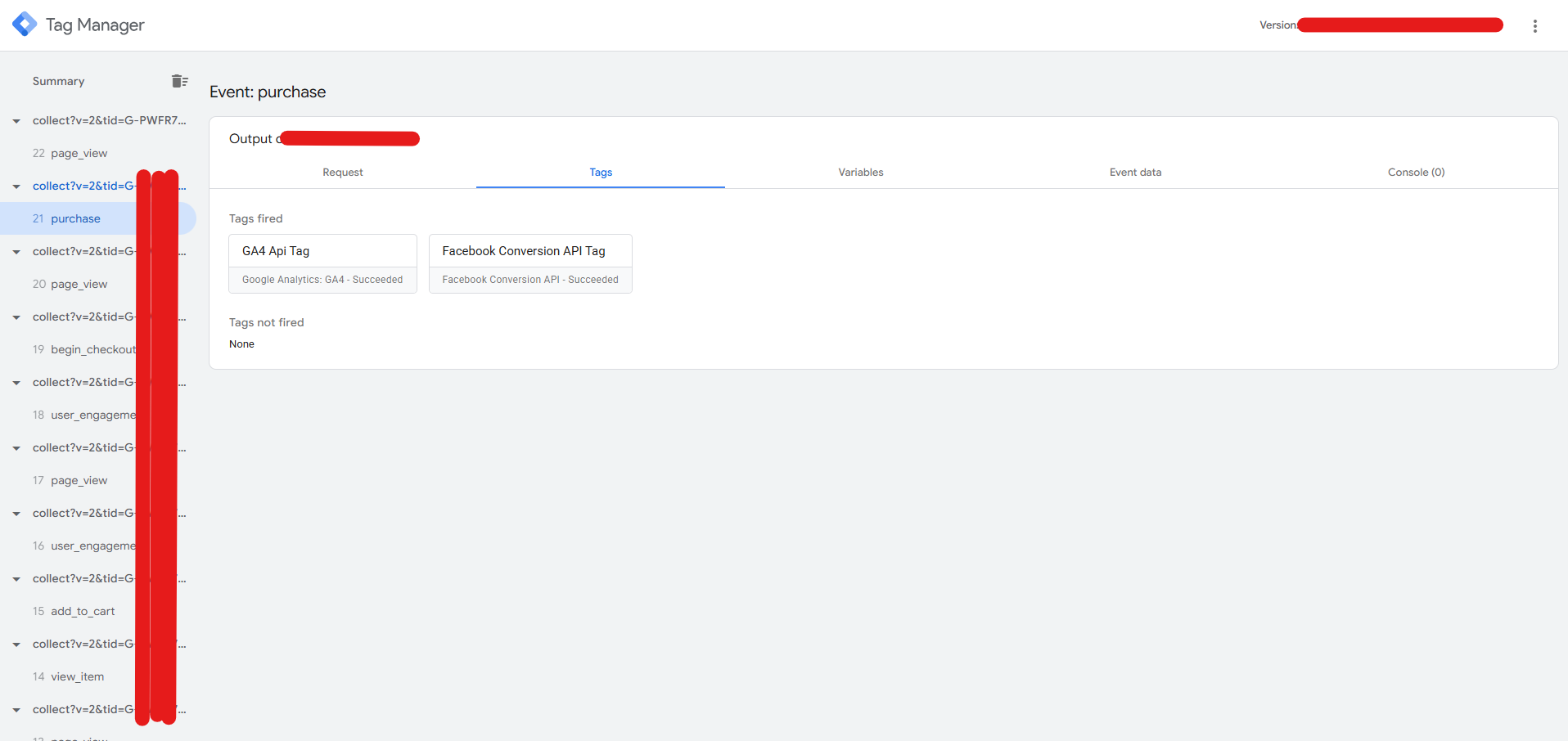
After establishing the GTM environment, we integrated Google Analytics 4 for the client's property. The server-side tracking environment was subsequently configured through Stape to create a more robust data collection architecture. This setup allowed the tracking system to process relevant events through both browser-side and server-side environments.
Meta Pixel & Dataset Implementation
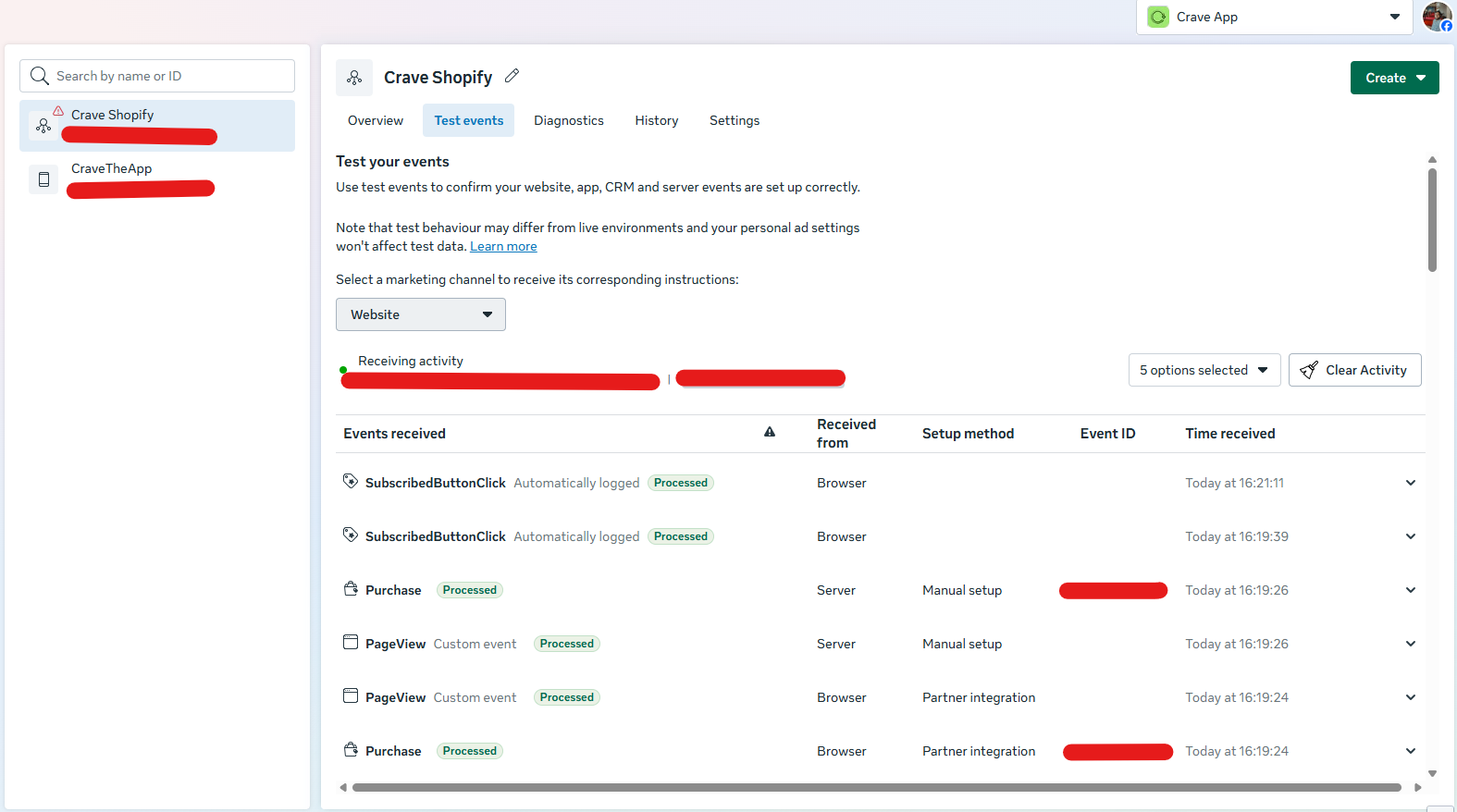
The next stage focused on advertising platform tracking. We configured the required Meta tracking infrastructure and datasets to capture important user interactions and conversion events. Both browser-side and server-side event flows were considered during the implementation.
Google Analytics Event Configuration
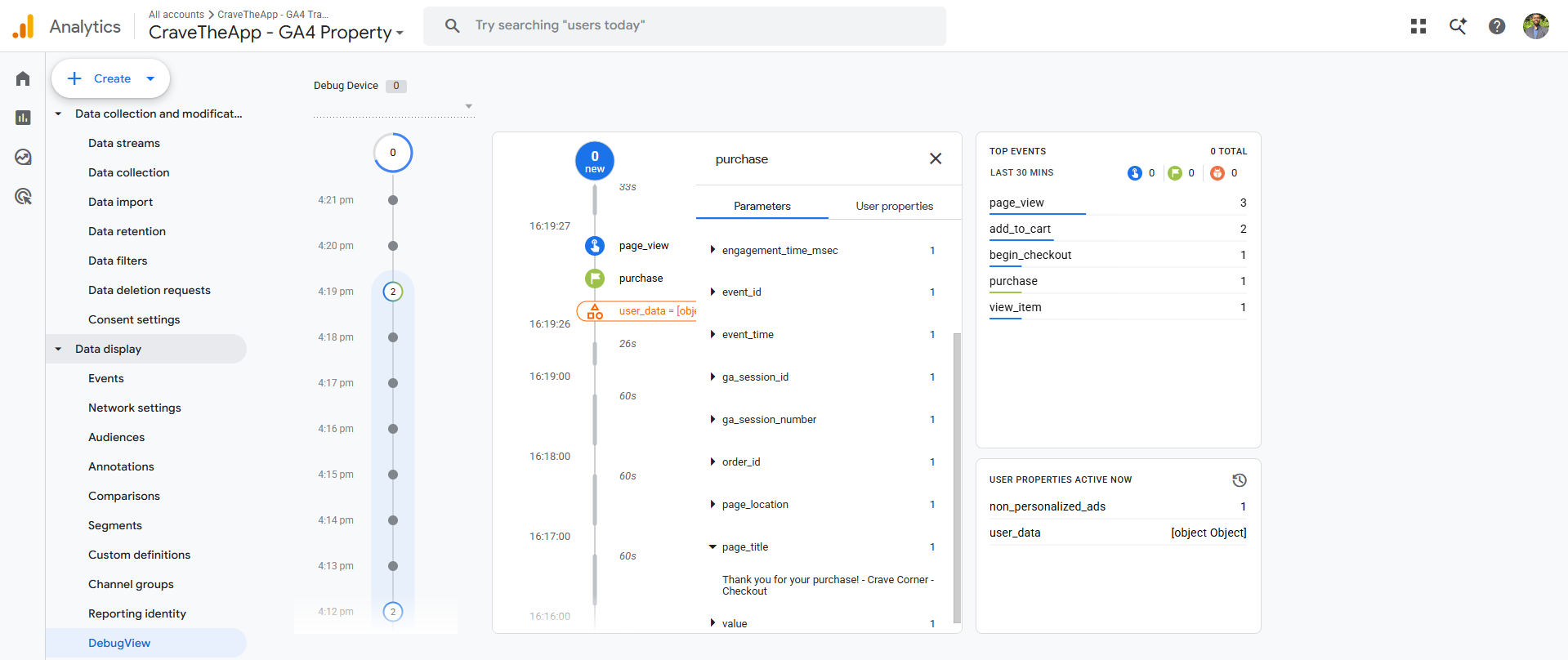
After implementing the tracking infrastructure, we configured and reviewed the GA4 events. The goal was to ensure that important customer actions were being received correctly inside Google Analytics. The GA4 DebugView was used to inspect incoming events and their associated parameters.
Tracking Validation & Quality Assurance
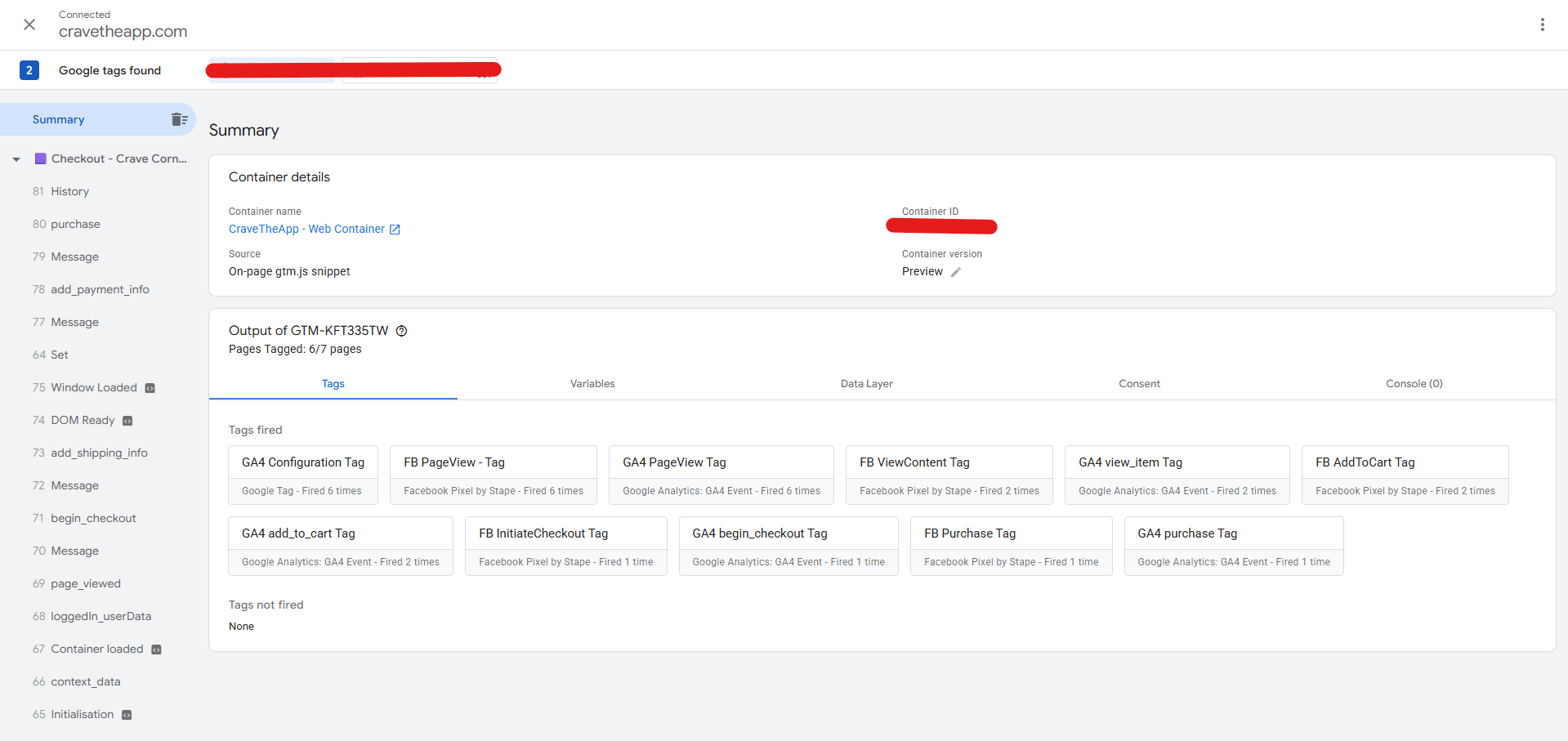
Tracking implementation was followed by rigorous testing and validation. We used Google Tag Assistant to verify whether the required tags were firing correctly throughout the customer journey. The events were then cross-checked inside Google Analytics 4 DebugView, Meta Events Manager, and Google Tag Assistant. This validation process helped confirm that the configured browser-side and server-side events were being received correctly.